How to calculate distance between two GPS coordinates
By Jeff Beem
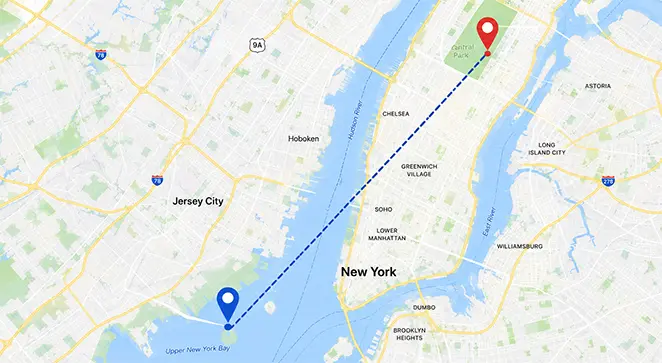
You have two pairs of numbers from a spreadsheet, a CSV export, or a map pin drop. Maybe they came from OpenStreetMap, a geocoder, or a field GPS unit. Latitude for point A, longitude for point A, same for point B. The question is boring and practical: how many miles or kilometers apart are they?
If you try the flat-map shortcut, subtracting degrees and treating the planet like a sheet of graph paper, you will get an answer. It will also be wrong in a way that grows with distance and latitude. What you want is great-circle distance: the shortest path along the Earth’s surface, the same family of math flight planners and mapping APIs use before they layer roads, weather, or traffic on top.
This article walks through that calculation with the Haversine formula, using a real city pair you can check by hand or in a calculator. For why the shortest air path looks curved on a wall map, see Why planes fly in curves. Here the focus is the coordinate math itself.
Latitude and longitude in plain numbers
Latitude tells you how far north or south you are from the Equator, expressed as an angle in decimal degrees (positive north, negative south). Longitude tells you how far east or west you are from the prime meridian near Greenwich, same idea on the east–west axis (positive east, negative west). Paris is roughly 48.8566° N, 2.3522° E; Kraków is about 50.0647° N, 19.9450° E.
Many GPS devices and maps also show degrees, minutes, seconds (DMS). The idea is the same; you just convert to decimal before the Haversine trig. West and south still flip the sign when you move to signed decimals. Example: 74°0′21.6″ W becomes −74.0060° in decimal form.
Two conventions trip people up. Some tables list N/S/E/W letters instead of signs; you have to apply the minus yourself for south and west. Some references label latitude θ and longitude φ; others (including our Distance Calculator) use φ for latitude and λ for longitude, which matches most GIS texts. The formula structure is identical once you know which symbol is which.
What Haversine is actually computing
Picture the Earth as a sphere with radius R = 6,371 km (the mean radius used in most Haversine implementations, including ours). Each lat/lon point corresponds to a direction from the center. The central angle between those two directions, measured in radians, times R, gives the surface arc length along the sphere.
That arc is the great-circle distance. It is the crow-flies number you see in “air miles” contexts. It is not driving distance, hiking trail distance, or the length of a straight line drawn on a Mercator map with a ruler.
The Haversine form packages the central-angle math in a way that behaves well on a computer, especially when the two points are close together. Roger Sinnott’s 1984 Sky & Telescope note “Virtues of the Haversine” is the usual modern citation for why programmers still reach for this layout instead of naïve spherical law-of-cosines variants that can misbehave near antipodal points.
The formula (and the two ways to finish it)
Work in radians inside the trig functions. Convert from degrees with:
radians = degrees × (π / 180)
Let φ₁, λ₁ and φ₂, λ₂ be the latitudes and longitudes of the two points (in radians). Compute:
a = sin²((φ₂ − φ₁) / 2) + cos φ₁ × cos φ₂ × sin²((λ₂ − λ₁) / 2)
Then either of these gives the same central angle in radians:
c = 2 × atan2(√a, √(1 − a))
c = 2 × sin⁻¹(√a)
Distance in kilometers:
d = R × c with R = 6,371
You will see both atan2 and sin⁻¹ in textbooks and blog posts. They agree mathematically. Implementations often prefer atan2(√a, √(1 − a)) because it stays numerically stable when a is very small (two pins in the same neighborhood). Our Distance Calculator uses the atan2 form and prints the arcsin-equivalent distance in Geographic mode so you can compare.
Worked example: Paris to Kraków
These coordinates are a common sanity check in distance articles:
| Point | Latitude | Longitude |
|---|---|---|
| Paris | 48.8566° N | 2.3522° E |
| Kraków | 50.0647° N | 19.9450° E |
Step 1: Differences in degrees, then radians
Δφ = 50.0647° − 48.8566° = 1.2081° → 0.02109 rad
Δλ = 19.9450° − 2.3522° = 17.5928° → 0.30706 rad
Also convert φ₁ and φ₂ themselves for the cos terms:
φ₁ = 48.8566° → 0.85262 rad
φ₂ = 50.0647° → 0.87371 rad
Step 2: Compute a
sin²(Δφ/2) = sin²(0.010545) ≈ 0.000111
cos φ₁ × cos φ₂ × sin²(Δλ/2) = 0.6520 × 0.6417 × sin²(0.15353) ≈ 0.009877
a ≈ 0.009988 (sum of the two terms)
Step 3: Central angle and distance
c = 2 × atan2(√0.009988, √(1 − 0.009988)) ≈ 0.2002 rad
d = 6371 × 0.2002 ≈ 1,275.6 km
In statute miles that is about 792.6 mi. Nautical miles: divide km by 1.852 → roughly 688.8 nmi.
Plug the same coordinates into Geographic mode on the Distance Calculator and you should land on the same ballpark after rounding. The Current calculation panel shows your live a, the substituted central angle, and both atan2 and sin⁻¹ distances.
A longer hop for scale: New York to London
Short European pairs are good for learning the arithmetic. A transatlantic pair shows why the formula matters for bigger decisions.
New York: 40.7128° N, 74.0060° W → 40.7128, −74.0060 in signed decimal.
London: 51.5074° N, 0.1278° W → 51.5074, −0.1278.
Same procedure, no new theory: d ≈ 5,570 km (about 3,460 mi) on the spherical Haversine model. Your spreadsheet, our tool, and any reputable lat/lon distance page should cluster within rounding of that number. If you get something wildly different, check signs on west longitudes first, then confirm you converted to radians before calling sin and cos.
Decimal degrees vs DMS in practice
You do not need DMS for the math, but field gear and some government datasets still emit it. Convert each angle to decimal, carry the sign for south and west, then run Haversine once.
If you are working interactively, entering DMS in the calculator and letting it sync to decimal is usually faster than hand conversion. The underlying formula does not change; only the input format does.
What this number is good for (and what it is not)
Good for: rough “how far apart are these two pins?” questions, comparing city pairs, sanity-checking API results, classroom exercises, initial filters in apps (“show profiles within 50 km”) before expensive routing runs.
Not good for: turn-by-turn driving distance (use a road router), property line surveying (use licensed survey tools and local datums), or sub-meter geodesy over long baselines (use WGS84 ellipsoid geodesics such as Vincenty or modern library equivalents).
Haversine assumes a perfect sphere. Earth is slightly oblate. For most consumer mapping the mismatch against an ellipsoid is often well under 1%, but it is real. On a ~5,570 km Atlantic hop, a 0.5% difference is still tens of kilometers, tiny next to jet lanes and wind, large next to a surveyor’s stake. Pick the model to match your tolerance, not your optimism.
Quick troubleshooting when your answer looks wrong
West longitudes must be negative in signed decimal form. A missing minus on Los Angeles or New York is the classic spreadsheet bug.
Trig expects radians. If the answer is wildly too big (millions of kilometers for two cities that are clearly not on opposite sides of the planet), you probably passed degrees straight into sin or cos without converting first.
Latitudes must stay within ±90° and longitudes within ±180°. Values like lat = 95° mean the data is corrupted or projected coordinates were mislabeled as WGS84 lat/lon.
Same point twice should give 0 km. If not, your implementation has a bug or a rounding cliff.
Antipodal or nearly antipodal pairs (opposite sides of the planet) stress naive formulas. Haversine handles them more gracefully than raw spherical law of cosines, but ellipsoidal geodesics are the right tool if precision at that scale matters to you.
Using the calculator instead of hand work
Work one example by hand if you want the formula to click. After that, let the calculator do the arithmetic.
On CalcRegistry, open the Distance Calculator, choose Geographic (lat/lon), enter decimal degrees or DMS, and read distance in km, miles, nautical miles, and other length units. The map draws the great-circle arc between the pins on the same spherical model as the number. Drag a marker and watch a and d update.
For flat x/y or x/y/z problems (CAD, game dev, classroom Cartesian planes), switch to 2D or 3D mode instead. Those modes use Euclidean distance, not Haversine. Mixing modes is the other common category mistake: lat/lon is not the same as map pixel coordinates unless you have already projected them.
Where the same math shows up
Anything that says “distance to pin” without calling a routing engine is probably using spherical distance or a close variant. Ride-hail fare estimates often start with crow-flies km before road network costs. Check-in apps, warehouse pick-path heuristics, and astronomy tools (angular separation on the celestial sphere) all rhyme with the same central-angle idea even when the domain looks unrelated.
You do not need to implement it from scratch unless you are building software. You do need to recognize when a quoted distance is surface arc versus road network versus flat map ruler, because those are three different questions wearing similar labels.
Sources
- Sinnott, R.W. (1984). “Virtues of the Haversine”. Sky & Telescope, 68(2), p. 159. Stable small-angle spherical calculations on computers.
- National Geodetic Survey: Geodesy for the Layman (NOAA-hosted edition; ellipsoid and datum context beyond the spherical shortcut).
- Vincenty, T. (1975). “Direct and Inverse Solutions of Geodesics on the Ellipsoid”. Survey Review, 23(176), pp. 88–93. Reference when Haversine’s sphere is not precise enough.
Related tools: Distance Calculator · Blog: Why planes fly in curves